Explore independent app demos and a young-maker website with fictional examples. Watch a walkthrough or open a sample in a new tab. No sign-up required.
Updated planner · A real screen walkthrough, in my voice
A little less to keep in your head.
Keep today’s priorities, tomorrow’s reminder and the steps for your next project in one place. Watch how it works, then give it a try.
1 minute 18 seconds · Johnnie’s own voice · Fictional examplesTry the planner →
No sign-up. Use sample information. Edits save only in this browser when storage is available.
Start with one small thing
Make room for your next brick.
Choose your focus. Open Today and pick your Top 3 priorities.
Get it out of your head. Open Planner, choose tomorrow and write a sample reminder.
See a step get done. Open Tasks, add one pretend task and check it off.
Change the name and colors, or create a project with linked tasks, to explore more of the customization.
An interactive demonstration. Your own app’s features and price depend on the scope we agree on.
Read the walkthrough script
Ayeee, I’m building these apps to help you get your life in order. Period!
You know when your to-dos are in your head, your notes are somewhere else, and you’re trying to remember what comes next? That’s what this planner is here to help with.
Pick your Top 3 priorities for today. Put tomorrow’s reminder on the calendar. Break a project into smaller tasks, and check them off as you go.
You can even change the name and colors to make it feel like yours.
Now try it! Tap “Try the planner” below this video. Add one pretend task, check it off, and see how it works. No sign-up needed.
Got an idea for an app that fits your daily life? Let’s talk.
One useful brick at a time!
Give Yourself Some Credit · Achievement Hub
Watch the full Achievement Hub demo.
I wasn’t giving myself enough credit for all the work I’ve put in over the years.
Search the collection, explore sample achievement details, and use our old-school sticky-note calendar for your next steps. You’ll also see a couple of different design possibilities.
The video tells the story. The interactive demo lets you try the features with fictional sample achievements.
Let’s build together, brick by brick.
UNBROKEN MEDIA · WORK IN ACTIONLive fictional demo
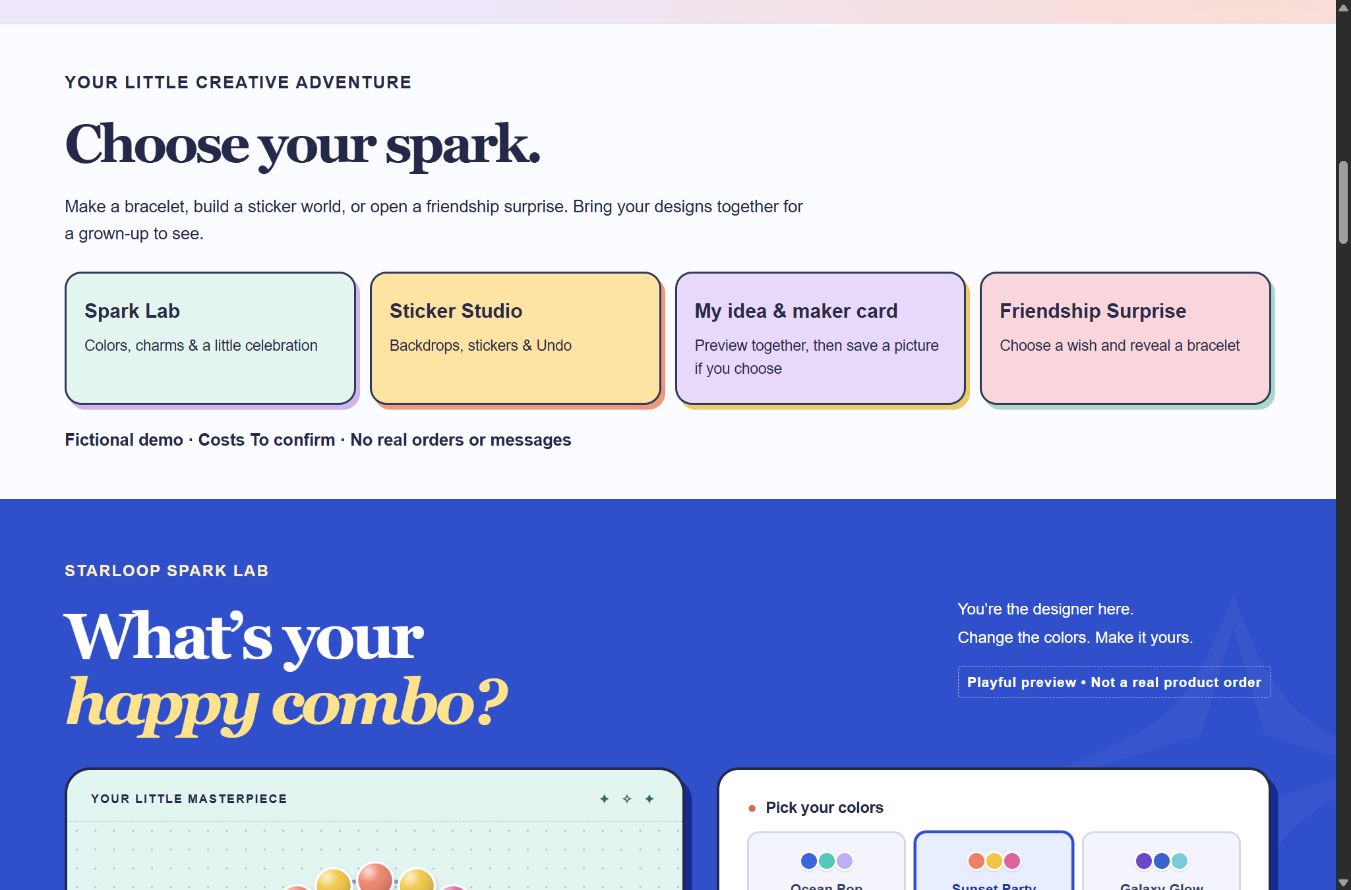
From a young maker’s story to a playful website they can explore with a grown-up.
StarloopA website idea for a kid’s business.
A fictional bracelet-business website with colors and charms, sticker scenes, a maker-card download, and friendship surprises.
My contribution
I directed the story and visual choices, chose the play features, and reviewed the experience. With Codex assistance, I brought the existing components together in Starloop, then checked the complete demo on my phone.
Fictional demo · Costs To confirm No real orders, payments, or messages. Play choices reset on refresh; a maker-card image saves only if the visitor chooses to download it.